macOS · coming soon

Your hand is the pen.

Draw in the air on any video call. Your rough gesture snaps to a clean shape and shows up in your camera tile — so everyone sees it. No tablet, no screen-share.

No tablet. No screen-share. Works in any call app.
YOUR VIEW casting

hand tracked → gesture beautified into a clean shape · concept demo

How it works

Three moves. Zero screen-shares.

Your webcam tracks your hand. You draw. Castdraw cleans it up and bakes it into your camera feed — so it reaches everyone, on any app.

A person's pointing hand with a clean glowing circle drawn in the air from the fingertip.TRACKING
01 · pinch

Pinch & draw in the air

Raise your hand to the webcam and pinch to put the pen down. Move to draw — no mouse, no tablet, no stylus.

02 · snap

It auto-snaps clean

Your rough circle, line, or rectangle is recognized and beautified into a perfect shape — instantly, the moment you release.

03 · cast

Everyone sees it

Castdraw publishes a virtual camera, so your drawing rides your video tile into Zoom, Meet, Teams — native or web. Nothing for them to install.
Why Castdraw

The whiteboard that lives in your camera.

Stop sharing your screen to draw a box. Keep your face on, keep the conversation flowing, and sketch the moment it helps.

no hardware

Your hand is the pen

Webcam only. No iPad, no stylus, no second device to fumble with.

auto-beautify

Clean shapes, not scribbles

Rough mid-air strokes snap to crisp circles, lines, and rectangles — always with one-tap undo.

any call app

Works everywhere

Castdraw appears as a normal webcam. Pick it in Zoom, Meet, Teams, FaceTime — native or browser.

no screen-share

Keep your face on

The diagram sits in your camera tile, next to you — not behind a shared window that hides you.

private

On-device by design

Hand tracking and drawing run locally on your Mac. Your video only goes where your call app sends it.

macOS first

Built for the Mac

Native, fast, and quiet. Windows is on the roadmap.

ZoomGoogle MeetMicrosoft TeamsFaceTimeDiscord — and anything else that can pick a webcam.
A peek

What the room sees.

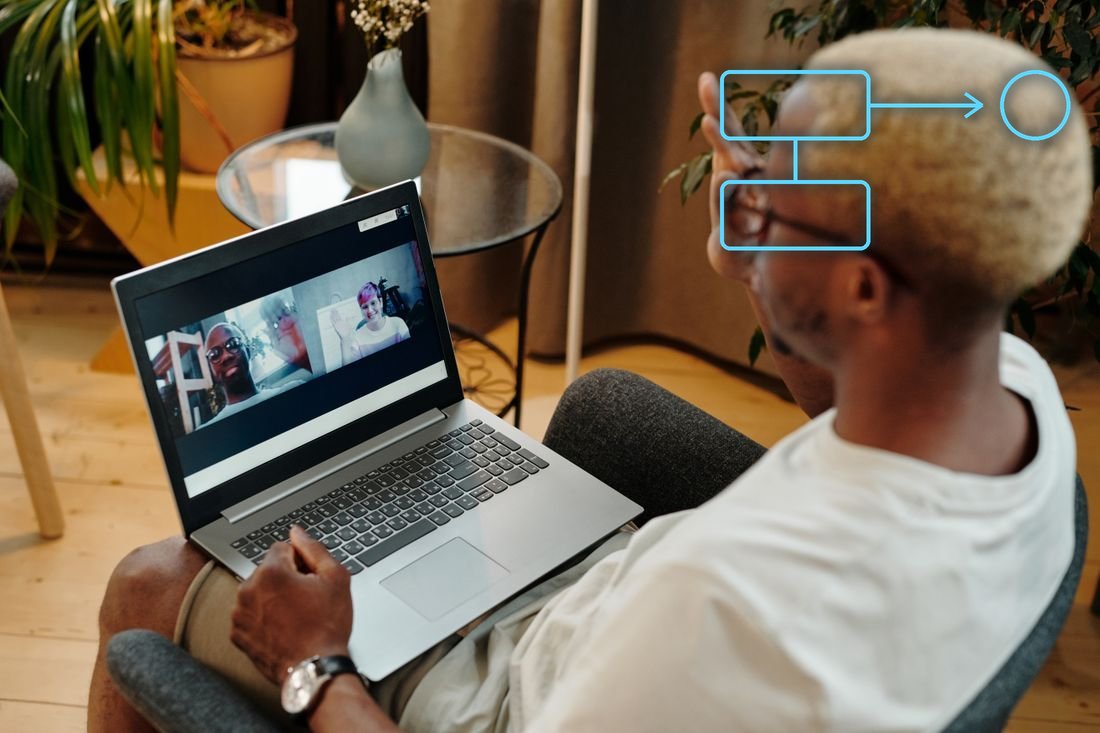
You draw in the air; a clean shape appears over your live video for everyone on the call. (Early concept — real footage coming soon.)

A person on a video call with a clean glowing diagram — two boxes connected by an arrow, plus a circle — drawn in the air over their live video. CASTDRAW · LIVE casting concept — drawing overlaid on a stock photo, not product footage
Early access

Be first to draw on your calls.

Castdraw is in active development for macOS. Join the waitlist and we'll email you the moment early access opens.

  • Early invite, before public launch
  • A say in which shapes & gestures ship first
  • No spam — one email when it's ready
When will Castdraw be available?

It's in active development for macOS. Waitlist members get the first invites before public launch — join above and you'll be among the first to know.

Which apps does it work with?

Castdraw publishes a standard virtual camera, so it shows up like any webcam in Zoom, Google Meet, Microsoft Teams, FaceTime, Discord, and more — native desktop apps and browser calls alike.

Do I need a tablet or stylus?

No. Your webcam tracks your hand — you draw in the air with a pinch. No tablet, no pen, no second device.

Is my video private?

Yes. Hand tracking and drawing run on-device on your Mac. Castdraw never uploads your video — it only goes to the call app you choose, exactly as it always did.